A client's website looked perfectly fine. Pages loaded, forms worked, nothing seemed wrong. But its server had quietly stopped receiving PHP security fixes. And on December 31, 2026, PHP 8.2 loses security support from the PHP project.
More than one in five WordPress websites run on PHP 8.2, according to WordPress.org's statistics of sites that report their version (snapshot from November 27, 2026). This article explains what "end of life" really means, what we found in this case, and the five checks you should do this week.
What is PHP, and why does its version matter?
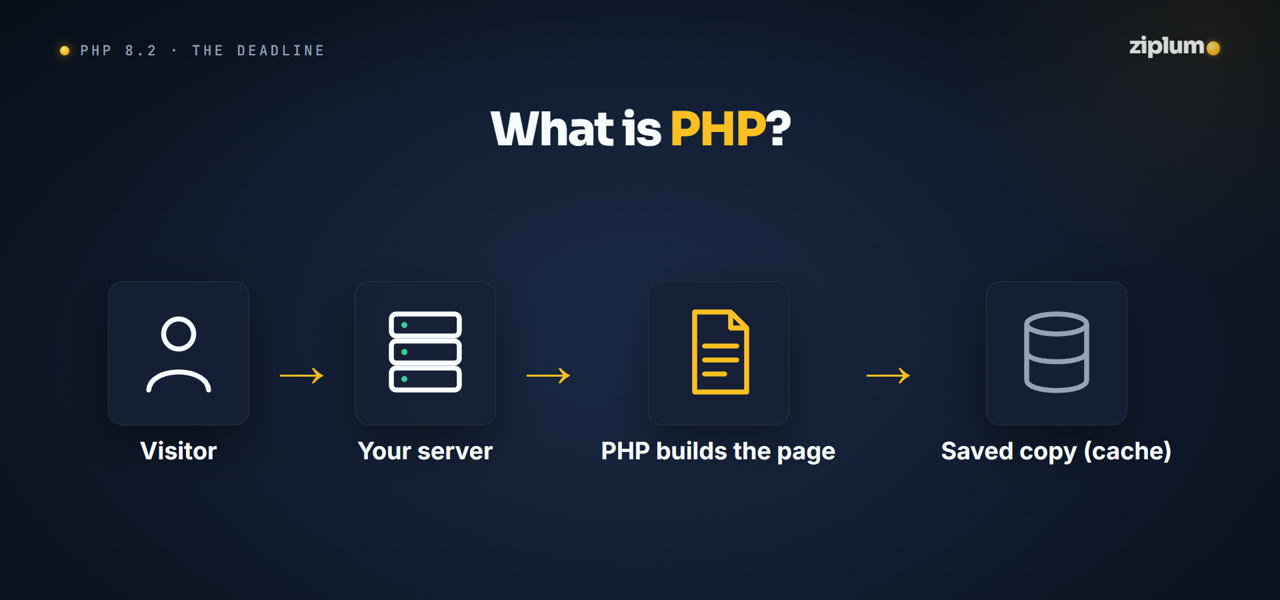
WordPress uses a language called PHP to build your pages on the server. Some pages are then saved and reused by a cache, but PHP does the main work.
PHP comes in versions. Each version gets about two years of bug fixes, then about two more years of fixes for critical security problems only. Then the PHP project stops supporting it.
| Version | Security support from the PHP project until |
|---|---|
| PHP 8.1 and older | Already ended |
| PHP 8.2 | December 31, 2026 |
| PHP 8.3 | December 31, 2027 |
| PHP 8.4 | December 31, 2028 |
| PHP 8.5 | December 31, 2029 |
The deadline does not switch your website off. Nothing breaks on January 1. It ends security support from the PHP project, so new security problems found after that date are no longer fixed by the PHP team for that version.
The real case
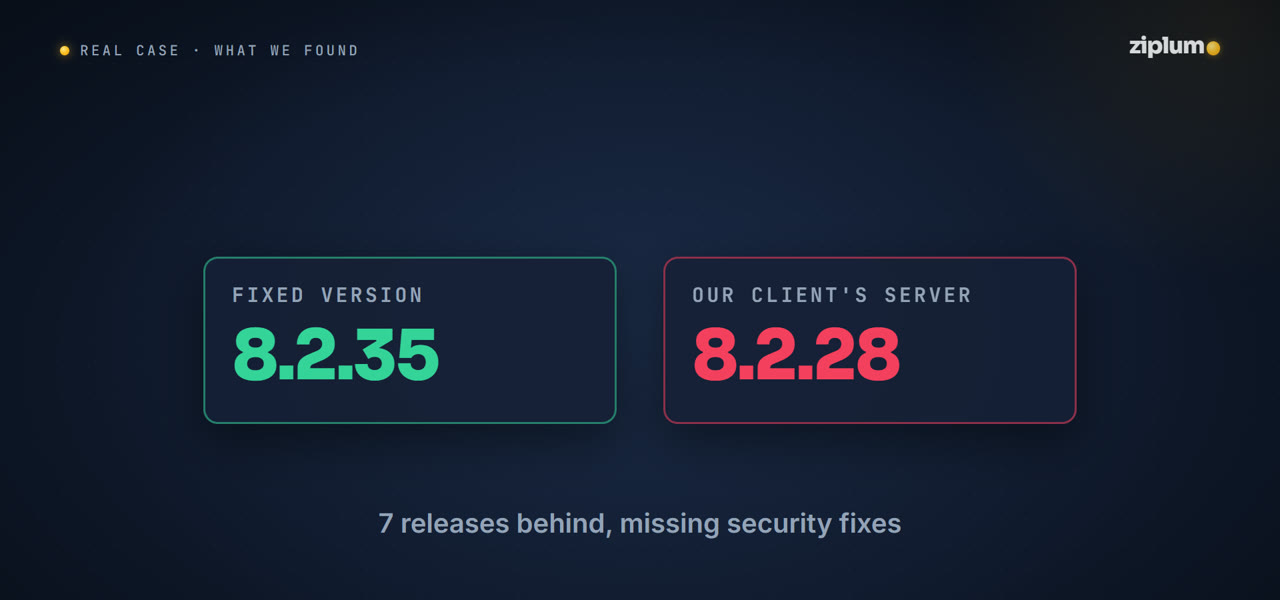
On October 21, 2026, the PHP team released fixes for two critical security problems (tracked as CVE-2026-109618 and CVE-2026-109619, and nicknamed "PHP2Shell" by the community). They could let an attacker run their own code on a server, without logging in. The fixed versions were 8.5.12, 8.4.27, 8.3.36 and, for PHP 8.2, 8.2.35.
When we checked our client's server, it was running 8.2.28: seven releases behind, missing security fixes. That setup installed PHP built directly from the PHP project's releases, not a Linux package that receives backported fixes, so its version number showed its real patch level.
The website was built on a ready-made server setup from a hosting marketplace. That setup had stopped getting updates in May. So the software repository that supplied its updates no longer delivered PHP fixes, and the October fix could not arrive through it.
On October 22, the day after the fix, we moved the website to a new server whose operating system supplies security updates for PHP. It got 8.2.35, the version with the October fix.
The lesson: working is not the same as patched
A working website is not the same as a patched website. Patched means the security fixes are actually installed. A site can look perfect while its server silently stopped receiving updates months earlier.
Who really patches your PHP?
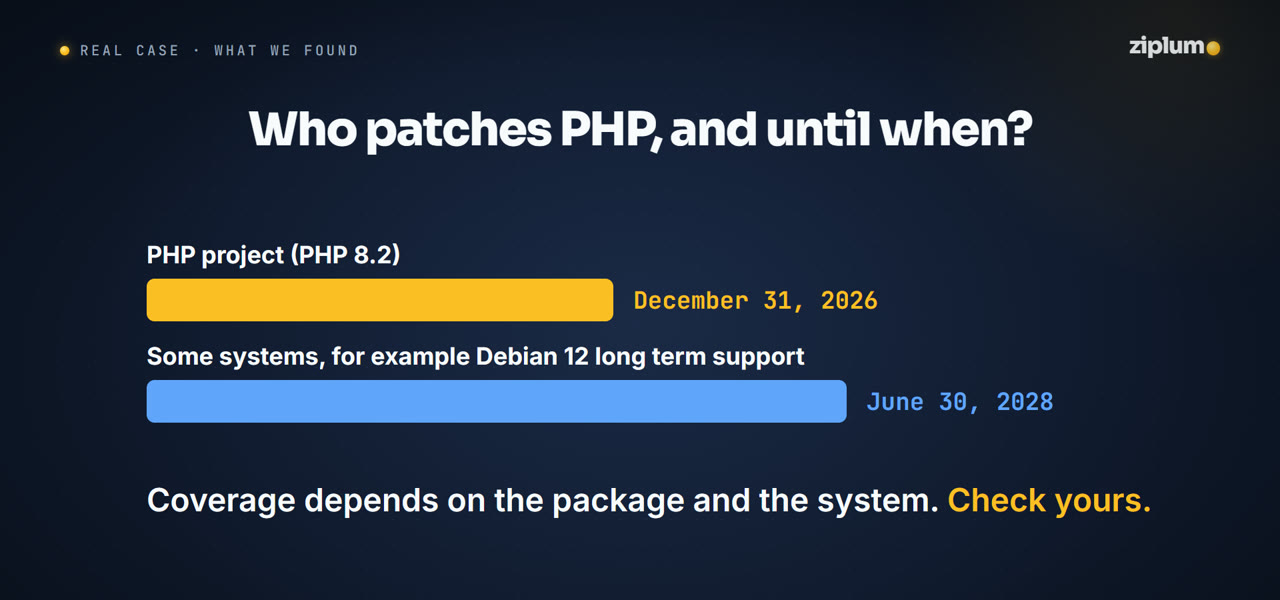
PHP 8.2 keeps getting security releases until the end. There was another one on November 19, 2026. After December 31, the PHP project stops them.
But some providers keep patching their own copy of PHP for longer. For example, Debian 12 has long term support until June 30, 2028. Coverage depends on the package and the system.
One detail matters when you check: on systems like Debian, fixes can be added ("backported") without changing the main version number. So a version that looks old may still be patched, and a version that looks recent may not be. That is why the real question is not only which version you run. It is this: who installs your PHP security updates, and until when?
Plugins move on too
There is another reason to upgrade. In our case, the newest version of a popular contact form plugin, Contact Form 7 6.2, needs PHP 8.3 or newer (and WordPress 7.1 or newer). So for now, we are keeping the installed plugin version until PHP is upgraded. Over time, more plugins and themes will need newer PHP versions to get their own updates.
Your PHP checklist
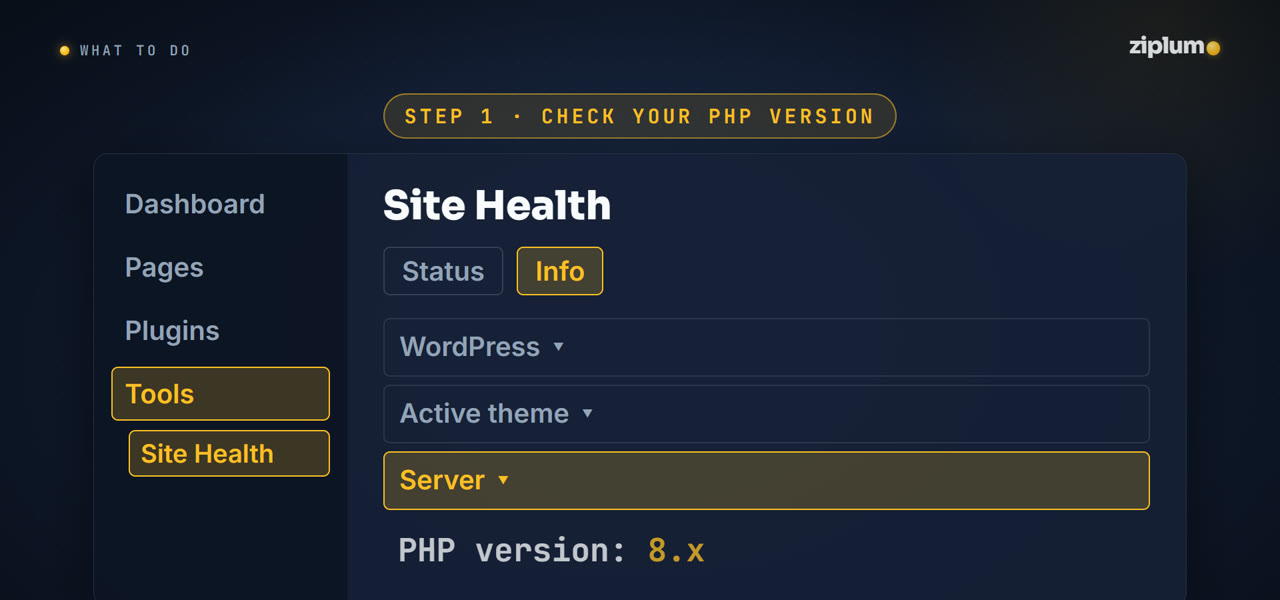
- Check your version. In WordPress, go to Tools, then Site Health, then the Info tab, then Server. You will see your PHP version.
- Know what it means. PHP 8.2: plan the upgrade before December 31, 2026. PHP 8.1 or lower: the PHP project no longer supports it (about one in three WordPress websites). PHP 8.3 or higher: still supported, but it still needs its security updates installed.
- Find out who installs PHP updates. It could be your host, your team or your server administrator. Check your hosting agreement, and ask if it is not clear.
- Upgrade safely. Make a full backup. Test the new PHP version on a copy of your site, called a staging site. Update and check your plugins and theme. Then switch the live site, and test your pages and forms.
- Pick a supported version. WordPress recommends PHP 8.3 or newer.
Which version should you pick?
WordPress recommends PHP 8.3 or newer. PHP 8.3 is supported until December 2027, PHP 8.4 until December 2028. If your plugins and theme support it, a newer version gives you more time before the next upgrade.
For our client, the next step is testing PHP 8.3 on a staging copy, then switching.
Frequently asked questions
Will my website stop working on January 1, 2027?
No. PHP 8.2 keeps running. What ends is security support from the PHP project, so new problems found after that date stay open unless someone else patches your copy.
How do I check my PHP version?
In WordPress: Tools, then Site Health, then Info, then Server. Your hosting control panel usually shows it too.
My host says my PHP 8.2 is still patched. Is that possible?
Yes. Some providers backport security fixes for longer. Ask them in writing which updates they apply and until when, and plan your upgrade anyway.
What if a plugin breaks after the upgrade?
That is why you test on a staging copy first. Update plugins and themes before switching, check the error log, and keep the backup ready to roll back.
Related case
Sources
- PHP supported versions
- PHP security announcements 2026
- WordPress requirements
- WordPress PHP version statistics (snapshot November 27, 2026)
- Debian 12 long term support
- Contact Form 7 6.2 release notes
- Case details from our records (client kept private). Not legal or professional advice for your specific server.

Runs Worth Pixel, our own web agency, and creates Ziplumo. Writes up the real cases our team works on. LinkedIn
Need it fixed for you?
If you want our own agency, Worth Pixel, to check your website or server, get in touch.