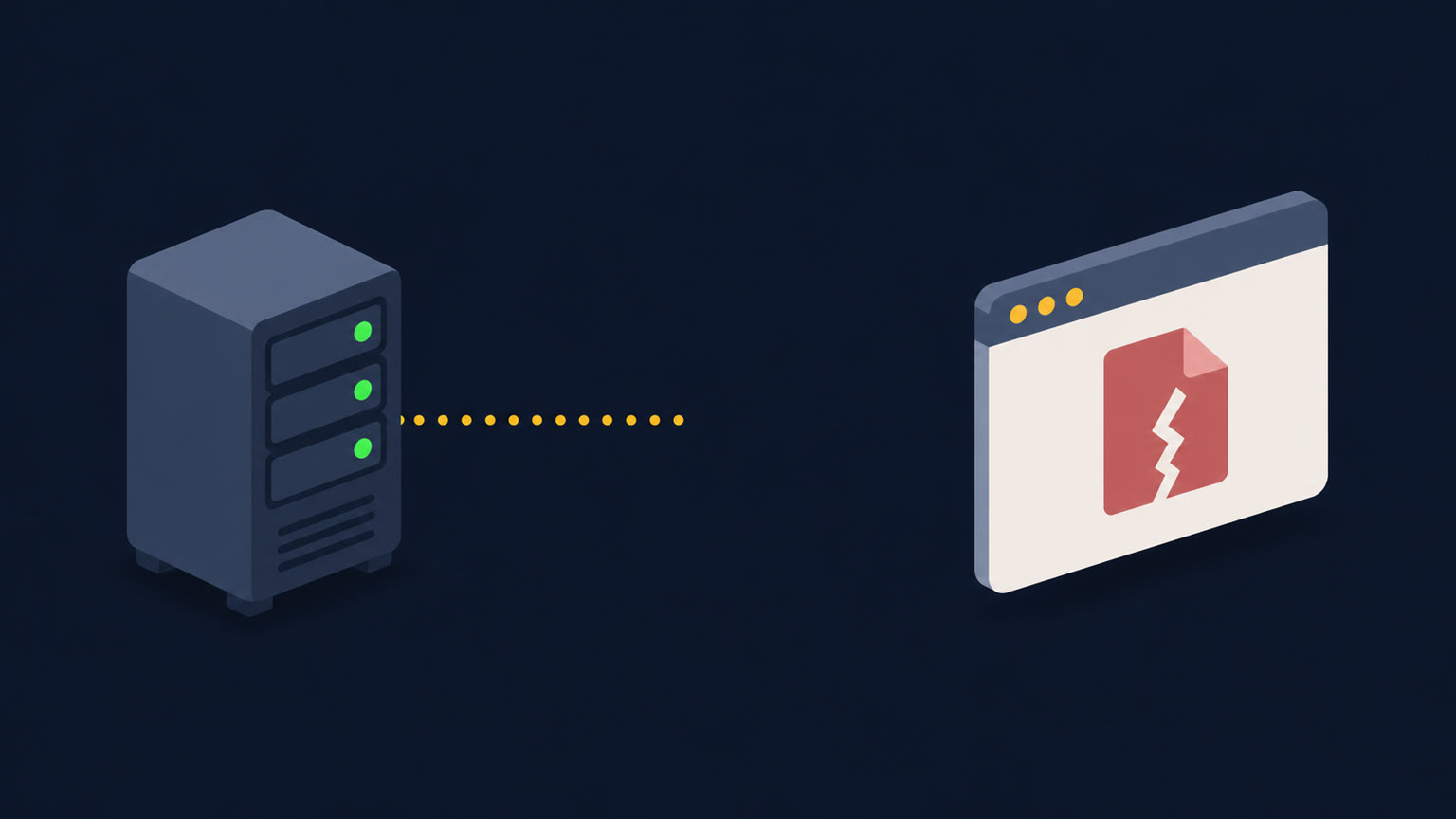
One of our clients had a strange problem. Their WordPress website stopped loading. Customers could not open it. But when we checked the server, it was running. We could log in, and everything looked normal. And the monitoring we had set up sent no alert.
If this has ever happened to you, this article explains why it happens, what we found in the logs, the three settings we changed, and the question you should ask your hosting company. It also covers our own mistake, because it was part of the problem.
How a website works, in one minute
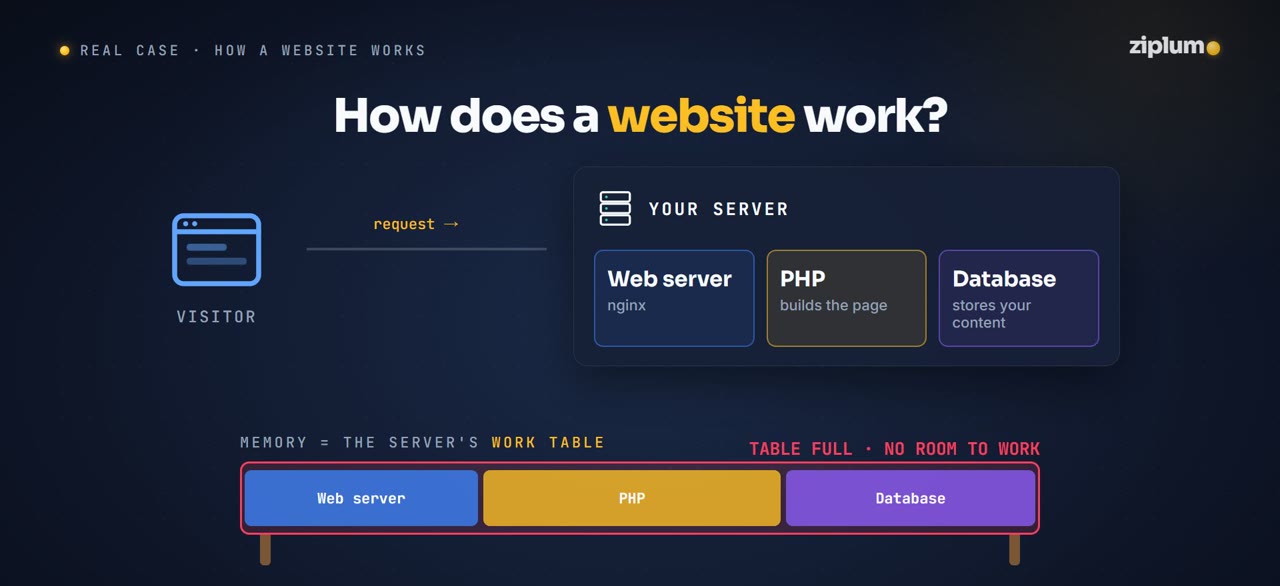
When a visitor opens your page, the request goes to your server. On the server, a few programs work together:
- A web server (for example nginx) receives the request.
- PHP builds the page. WordPress is written in PHP.
- A database (for example MySQL or MariaDB) stores your content: pages, posts, settings, orders.
Each of these programs needs memory. Memory is like a work table for your server. When the table is full, there is no room to work.
The clue: server up, website down
The server was running and we could still log in. But the website was down. That combination is the important clue. One possible cause is that a program behind the website stopped while the machine itself kept running. (DNS, certificate or network problems can also cause it.)
In the system logs we found the reason. The server had run out of memory. Under severe memory pressure, Linux can kill a process to free memory. This is called the out-of-memory (OOM) killer. Our logs showed it killed the database.
No database means no website. WordPress normally needs the database to generate pages (only pages already saved by a cache might still load). But the server itself still answered, so everything looked healthy from the outside.
Our mistake: we only checked the server
Our own monitoring only checked whether the server answered. It never checked whether the website loaded. So when the database stopped, no alert came. That was our mistake.
Now we check the website itself too: a page check runs every few minutes and sends an alert if the site returns an error.

Why the memory ran out
The website's pages are built by small helpers called PHP workers. Each worker handles one visitor request at a time, and each one needs memory.
The settings we found were simply too high for this server:
- The PHP worker limit (
pm.max_children, set per PHP-FPM pool) allowed up to 250 workers. Each one used about 35 MB. At that limit, the workers could need about 8,750 MB, almost 9 GB. - The server had just 1 GB of memory.
- The database cache (
innodb_buffer_pool_size) was set to 512 MB, and the database allowed up to 512 connections (max_connections).
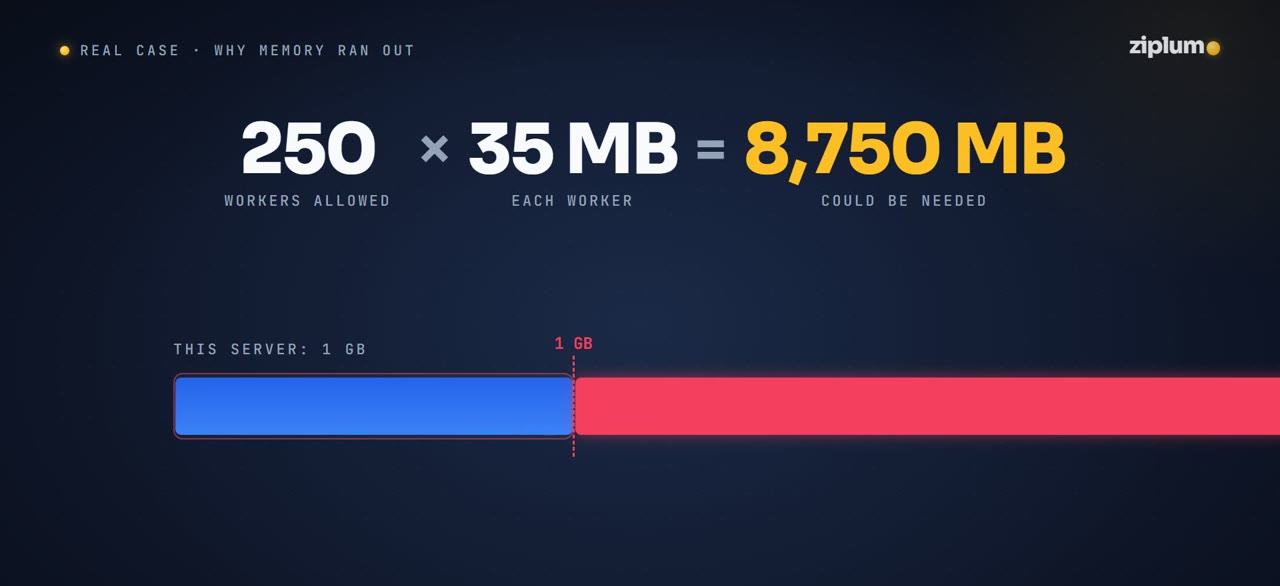
At low traffic, the problem can stay hidden for a long time. But when more requests arrive, from visitors or from bots, more workers start. Memory runs out, Linux kills a process, and in our case that process was the database.
The fix: three settings
Before you change anything, make a backup and ask your developer or hosting company. The right numbers depend on your server.
| Setting | Before | Our fix (1 GB server) | What we use on 2 GB |
|---|---|---|---|
PHP worker limit (pm.max_children) |
250 | 8 | 15 |
Database connections (max_connections) |
512 | 60 | 100 |
Database cache (innodb_buffer_pool_size) |
512M | 128M | 384M |
The 1 GB values are what we changed in this case. The 2 GB values are what we use on 2 GB servers, not part of this case.
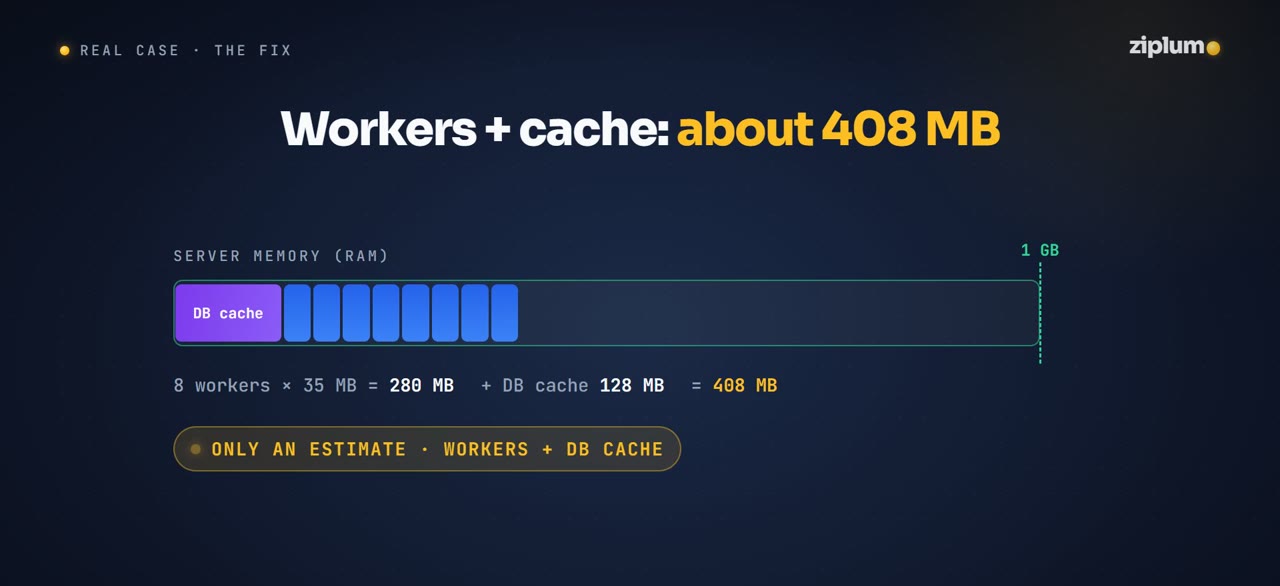
At the new 1 GB limits, the workers and the database cache need about 408 MB (8 x 35 MB, plus 128 MB). That is only a subtotal: the database uses some memory beyond its cache, and the operating system and other programs need memory too.
How do you find the right worker limit?
A common starting point is: memory you can give to PHP, divided by the average size of one PHP worker. Leave room for the database and the system first. Then measure: watch real memory use under load and adjust. There is no single right number for every site.
The trade-off
With only eight workers, PHP can handle up to eight requests at the same time. Under heavy load, some visitors may wait, or see an error. So your hosting team should test the limits, not just copy numbers.
Two things help a lot:
- A page cache. It saves ready-made pages, so the server does far less work for cacheable pages. Still test pages that cannot be cached, like checkout or forms.
- More memory. In our experience, 1 GB is very small for a WordPress website like this one. More memory gives more room for workers, the database and the cache.
If several websites share one server, all their limits must fit together in the same memory.
Three questions for your hosting company
If your website goes down but your server is still running, ask:
- Did the server run out of memory? Ask them to check the system logs for out-of-memory events.
- Are the worker and database limits right for this server's memory? Default or copied values are often far too high for small servers.
- Are you checking the website itself, not only the server? A server check alone can stay green while your site is down.
Frequently asked questions
Why is my website down when the server is up?
One possible cause is that a program behind the website stopped while the machine kept running, for example the database or PHP. DNS, certificate, network and configuration problems can also cause this. The server answering does not mean the website works.
What is the out-of-memory killer?
Under severe memory pressure, Linux can kill a process to free memory. Which process it kills depends on memory use and other factors. Our logs showed it killed the database.
Will lowering the worker limit make my site slower?
It can, under heavy load, because fewer requests run at the same time. A page cache can reduce the load for cacheable pages, and a site that stays online beats one that crashes. Test with your real traffic, including pages that cannot be cached.
How should I monitor my website?
Use a check that loads a real page (and ideally looks for expected text on it) every few minutes and alerts you by email or phone. Keep a server check too, but do not rely on it alone.
Related case
Sources and notes
- Numbers come from our case notes (client details kept private). Log lines shown in the video were recreated.
- PHP-FPM configuration (pm.max_children)
- MySQL: InnoDB buffer pool size and max_connections
- Not legal or professional advice for your specific server. Always make a backup and ask your developer or hosting company before changing settings.

Runs Worth Pixel, our own web agency, and creates Ziplumo. Writes up the real cases our team works on. LinkedIn
Need it fixed for you?
If you want our own agency, Worth Pixel, to check your website or server, get in touch.